
Anchor Watch
Anchor Watch records where you dropped the hook, draws a circle around it, and sounds an alarm if the boat leaves the circle. It is designed to be slept on — which is exactly why it opens with a warning you must acknowledge: the feature is experimental. Check your anchor manually and use more than one drag alarm. Battery, GPS or other failures could cause incorrect results. Do not rely solely on this feature.
Open Anchor Watch from the menu. The setup card and armed view both carry the EXPERIMENTAL label as a standing reminder.
NOTE: This feature is not yet available in the iOS app.
Setting up
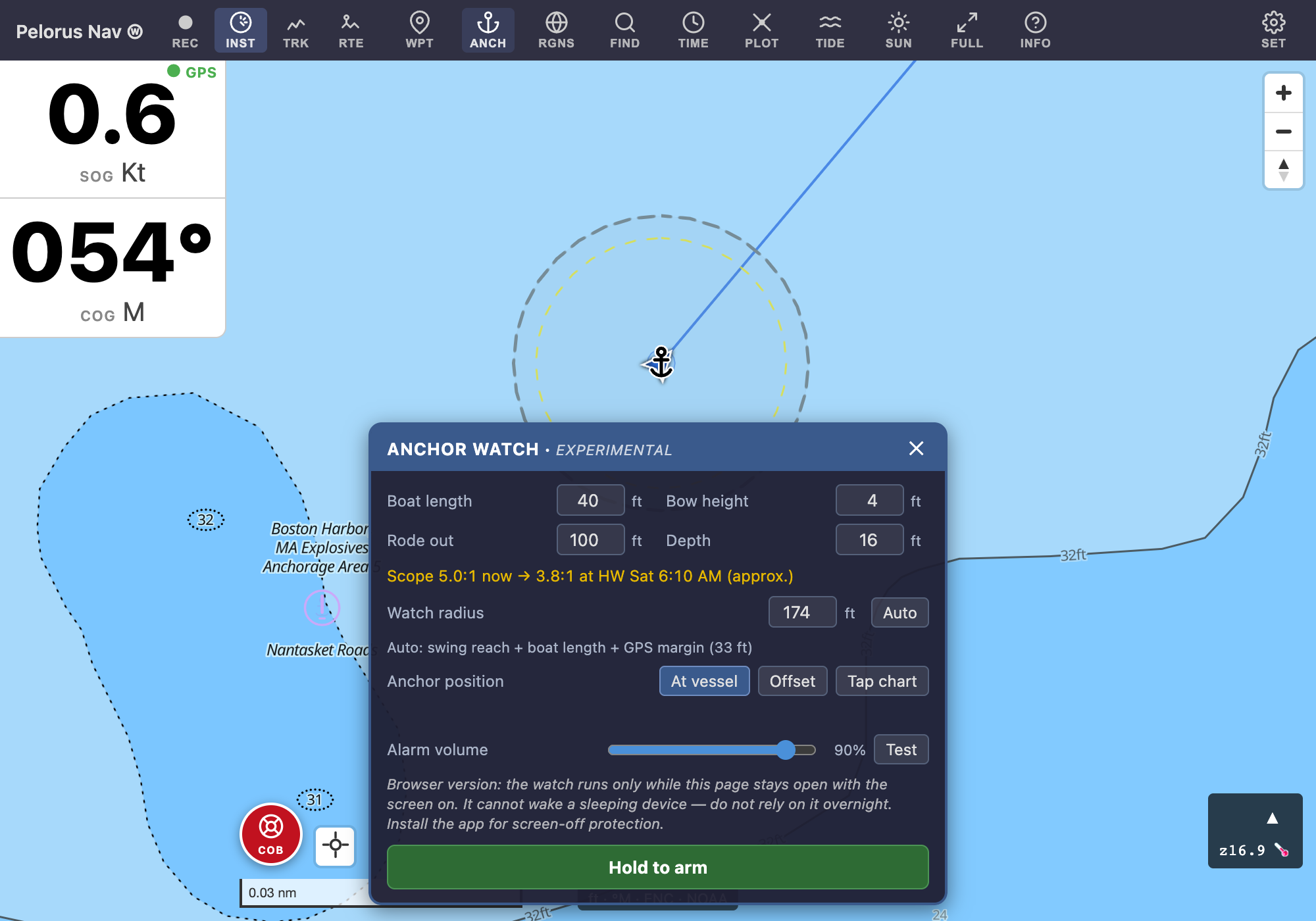
Enter your boat length, bow height, rode paid out, and the water depth. From these the card computes:
- A suggested watch radius — the horizontal swing reach of your rode (corrected for depth), plus your boat length, plus a GPS margin taken from the live fix quality. Override it freely; Auto returns to the computed value.
- Your scope, shown tide-aware when tide data covers the anchorage: "Scope 6.0:1 now → 4.2:1 at HW 4:12 PM".
Place the anchor at the vessel's position, offset from it by distance and bearing (for when you enter the mode after paying out), or by tapping the chart. Then hold to arm. Arming is blocked (with the reason shown) while there is no usable GPS fix, or while the fix is too vague for the circle you chose.
The alarm volume
The Alarm volume slider sets how loud alarms actually sound — it is an absolute level, not a scale on the system volume, so the alarm plays at exactly the level you chose even if the device's volume rocker was left somewhere else. Test plays one beat of the real alarm tone at that level. A skipper sleeping next to the device can pick a level that wakes them without waking the whole anchorage.
While armed
The armed view shows live distance and bearing back to the anchor, the swing track, time at anchor, GPS quality, and the tide-aware scope line. The watch keeps running when you leave the mode (a corner badge remains) and survives an app restart. Adjust the radius or drag the anchor point at any time; the alarm geometry follows.
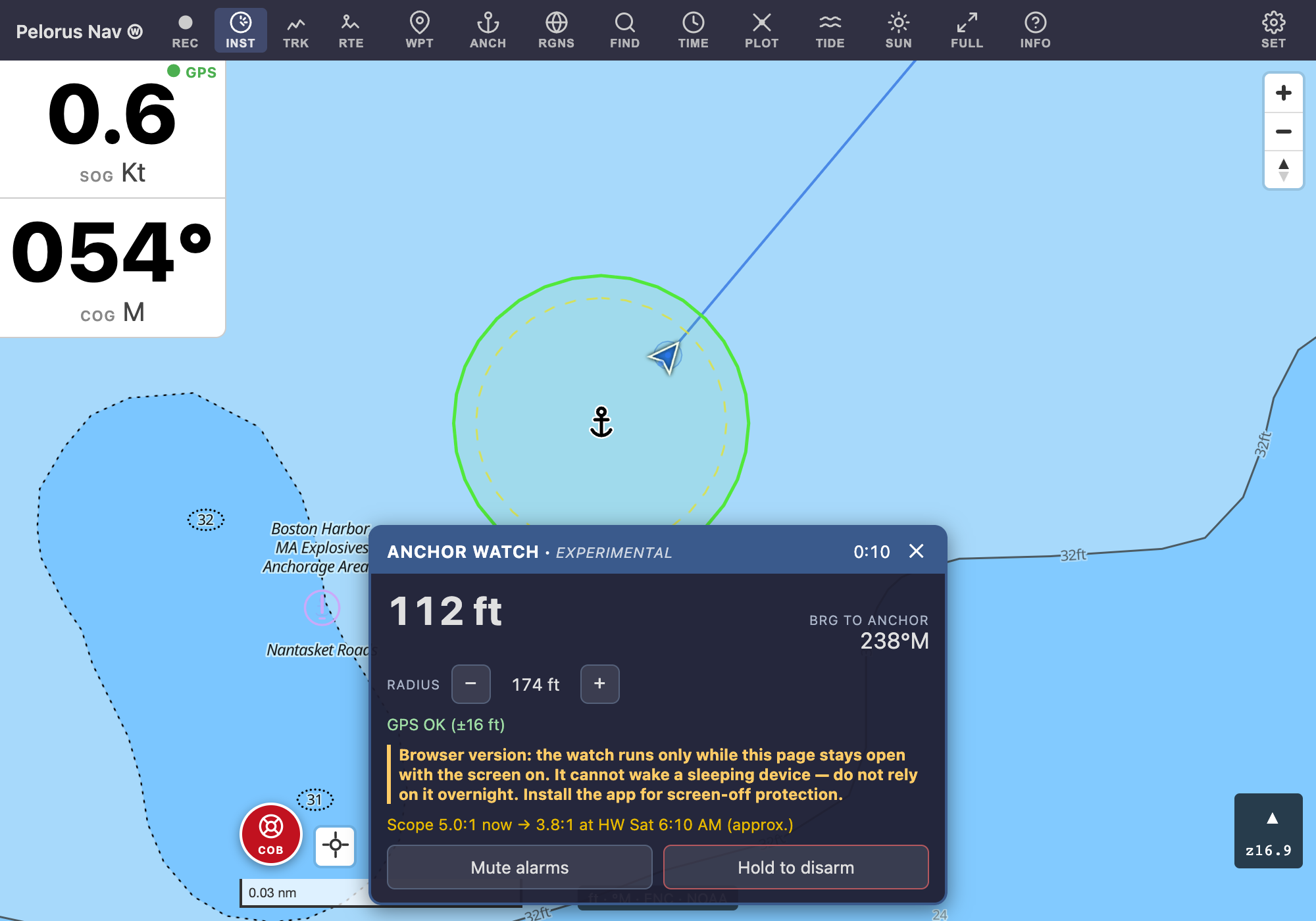
The armed view also tells you plainly when something needs attention: location permission off, alarm volume low or muted, battery optimization active, or running on battery — for overnight use, plug in the device (and any external GPS receiver).
The alarms
Three distinct sounds:
- Drag — a loud two-tone siren: the boat has been outside the circle continuously for 15 seconds.
- GPS lost — a slower tone: no position for 2 minutes. A watch that cannot see the boat must never look like a safe boat.
- Watch impaired — a quieter triple chirp: the watch itself is compromised — nothing is currently watching the anchor, or the device battery is nearly dead. Check the setup.
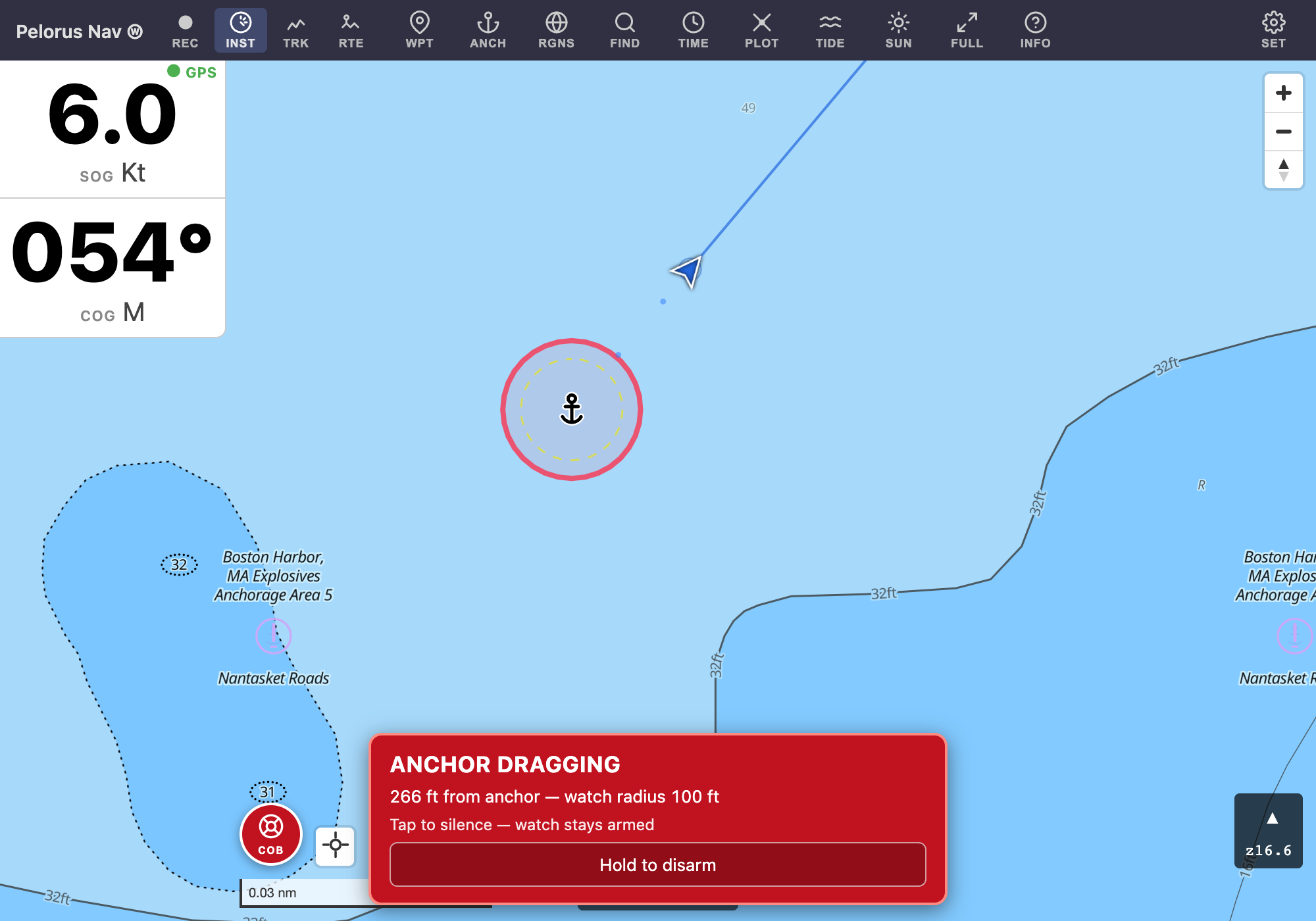
Tap an alarm to silence it. The watch stays armed: if you continue to drag, it will re-alarm after another boat-length of movement. A silenced event fully re-arms once the boat has been back inside the circle for a minute. Hold the disarm button to stand the watch down entirely.
An alarm condition that resolves on its own (the fix comes back, the boat swings back inside) stops sounding and leaves a quiet notification ("Anchor alarm: GPS signal lost · 3:12 AM — lost GPS signal, fix returned · Still armed.") so you always know in the morning what happened overnight.
With the screen off (Android)
On Android the watch runs in the app's background service and keeps detecting — and alarming — with the screen off, the device locked, and even if Android shuts the app itself down overnight. This works with the device's own GPS and with an external Bluetooth (SPP) receiver such as a Garmin GLO: the service reads the receiver directly and reconnects it if the link drops. Alarms sound on the alarm volume with vibration and a lock-screen notification with a Silence button.
The first time you arm, Android may ask for notification permission (so alarms can light the screen) and to exempt the app from battery optimization (so a sleeping device can't delay an alarm). Grant both for overnight use. If the device restarts while a watch is armed, a loud notification tells you the watch is no longer running.
An armed watch holds the device awake internally and uses noticeably more battery than an idle app — another reason to plug in overnight.
In the browser
On the web the watch runs only while the page stays open with the screen on. It cannot wake a sleeping device and must not be relied on overnight — the page says so whenever the watch is armed. Install the app for screen-off protection.